
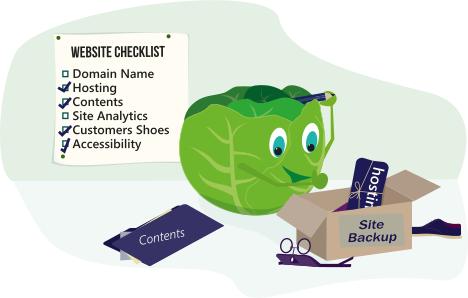
Business owners website Checklist
Published:
Your company website is a major part of your team, but once its setup, some things can often be overlooked until its too late. This can result in loss or major cost, and even downtime.
Even if you have a plan for updating the website content, that person isn't necessarily responsible for everything. Its easy to think this information must be defined by someone, when often its not. But having information readily available about the setup and registration of services, can speed up the recovery of a website should you ever need to.
Domain name
Where is the Domain Registered? - Record the Company and login details.
Renewal Date - When does the domain renew?
Renewal method - Is it set to auto or manual.
Credit Card - Are the details up to date within the control panel? This is vitally important or auto renewal will fail.
Email Address - Is it correct, up to date and currently active - You could miss important Renewal warnings.
How to update the name servers - These records control the connection of your domain to your hosting account. Should you ever need to transfer your domain to another hosting company you would need to update these records, so knowing how to do so could really speed up any site recover.
Hosting
It's a good idea to make sure your details are always up to date. That you also know where the hosts status page is and how to contact support before you need them.
Also important is to make sure you have documented the setup and any configuration that was needed to run on the current hosting platform.
If your website uses a CMS then its important to make sure this is kept up to date.
If the website uses a server side language like PHP, then you should make sure you are using a current supported version. For PHP this would be version 8.2 or 8.3 (at the time of writing this article).
Your Website Content
If you can update the website content with a CMS (edit pages within the browser) then it would be really good to make sure you have a back up method configured. But the problem with a backup is how do you restore that data if you need to. This should be tested and documented read more on this in our Planning for unplanned tasks sprout of wisdom.
Your website site analytics
Your website maybe setup with JavaScript-based web analytics, which can show you details about your customers device, their location and the pages which are most popular. But more importantly they also show you the errors your users are getting, its a good idea to review the 404 errors for real pages/images issues.
A 404 error means that a file or image can not be found, it could be the file is not uploaded, is named differently or the path in the html is wrong.
The other source of this information is server side logs which some hosts give you access to and provide a web page viewing tool. Server side logs have no impact on your page speed and the fact that adblockers cannot block server logs can make them very useful.
Use your website as a customer
We have a Sprout of Wisdom about putting yourself in your customers shoes. It explains why trying to complete tasks using the website as a customer can be a great way to help you improve your content.
How accessible is your website
Its important to make sure your website is accessible to as many customers as possible too which we talk about in our Accessibility what it is and why its important Sprout of Wisdom.